




Slow upload testing in Nigeria should start with the upload rate, the file size and the receiver’s confirmation. A fast download result does not show how quickly a portfolio, application or support attachment can leave the device. Keep those directions separate before blaming the server for a stalled form.
For a decimal 5 MB file, ideal payload time is 40.0 seconds at 1.0 Mbps and about 3.31 seconds at 12.1 Mbps. These are calculations, not measured Nigerian submissions. We also ran one unthrottled localhost control that stored all 5,000,000 dummy bytes with a matching checksum. The two capped branches remain unrun.
What the Nigerian evidence can—and cannot—tell you
The NCC Q3 2026 package links its geospatial urban–rural report. Page 6 gives rural median upload speeds of 1.0 Mbps for T2 and 12.1 Mbps for MTN. Their separate rural download medians are 17.8 and 23.8 Mbps. The reference period is January 2025–August 2026.
| Reported rural median | T2 | MTN |
|---|---|---|
| Upload, Mbps | 1.0 | 12.1 |
| Download, Mbps | 17.8 | 23.8 |
The report analyses 984,172 crowdsourced speed tests, not that many distinct people. Its results do not establish the connection at a particular learner’s home. The package’s November appearance also does not prove an exact publication day for the PDF. Use these values to motivate test coverage, not to promise a local speed.
Slow upload testing Nigeria: calculate the right direction
Our exercise fixes the payload at 5,000,000 bytes. Multiplying by eight gives 40,000,000 bits, or 40 decimal megabits. Divide that payload by the upload cap in megabits per second. Do not divide it by a download speed or silently treat 5 MB as 5 MiB.
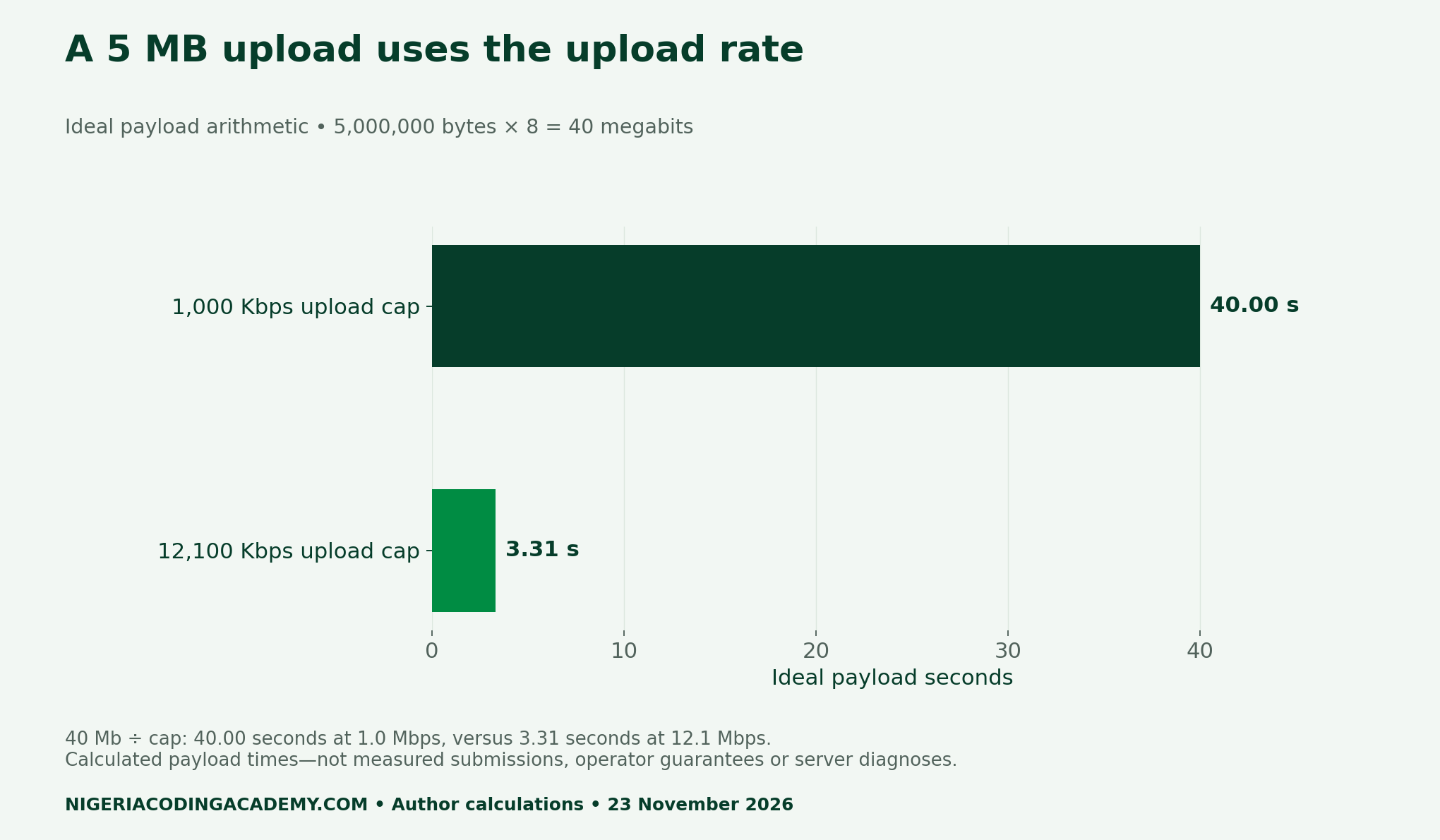
At 1,000 Kbps, the arithmetic is 40,000 kilobits divided by 1,000 kilobits per second: 40 seconds. At 12,100 Kbps, it is 40,000 divided by 12,100: 3.305785 seconds, rounded to 3.31. Retain the unrounded value in the CSV so another instructor can reproduce the display.
A real submit-to-confirmation time includes more than payload transfer. Browser behavior, protocol overhead, connection setup, retries and server processing can add time. A result above the ideal line does not identify which component caused the gap. That requires a controlled observation, not a guess based on one speed number.
Keep the file, download cap and latency constant
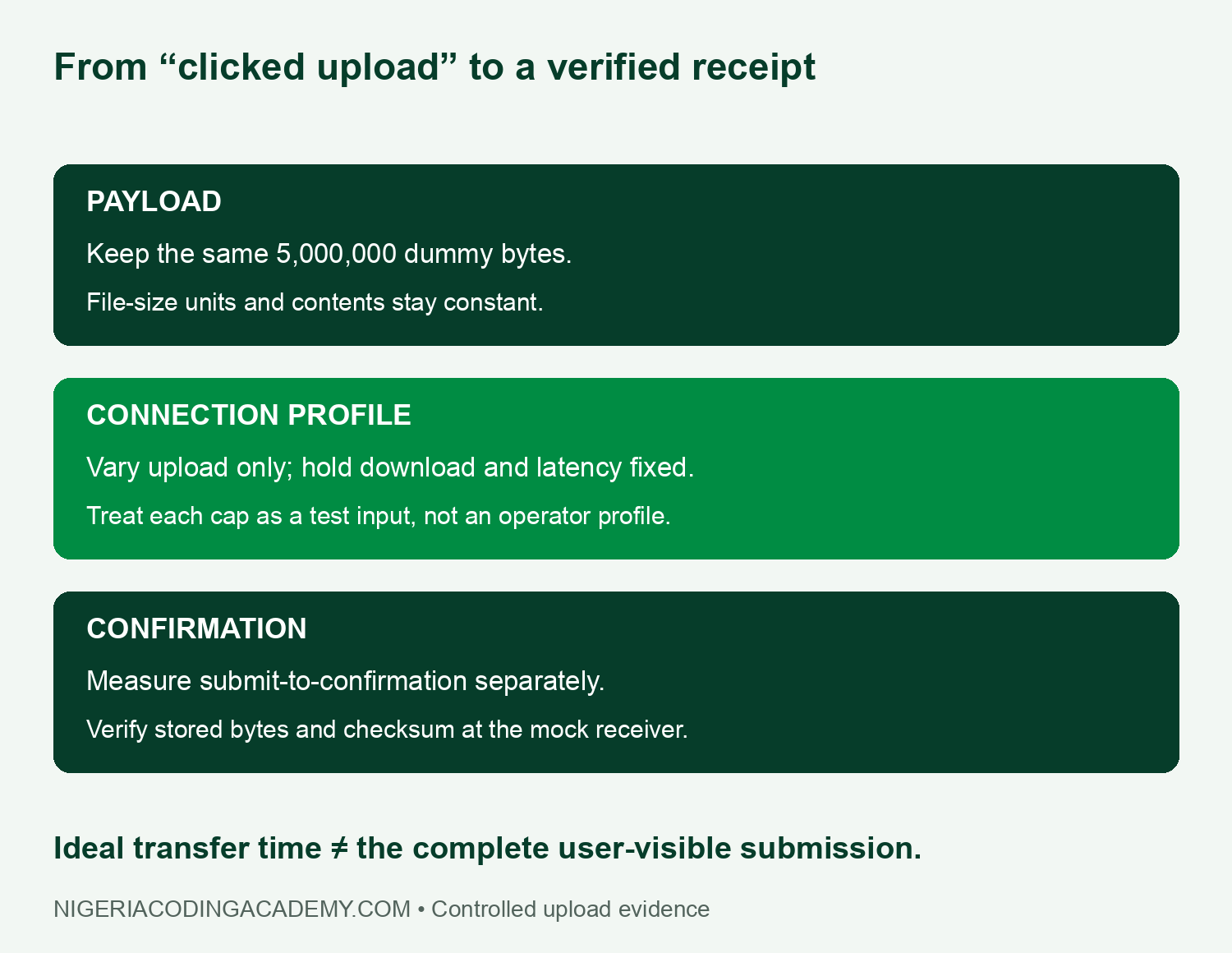
Chrome’s throttling guide documents custom profiles with separate download and upload speeds in Kbps, plus latency in milliseconds. For a future matched comparison, our worksheet proposes upload caps of 1,000 and 12,100 Kbps while holding download at 50,000 Kbps and latency at 20 ms.
Those fixed values are lab choices. They deliberately avoid combining the NCC’s separate download, upload and latency medians into a connection that the source never observed. Include an unthrottled control and record the exact browser build before running the capped cases. Keep other relevant browser and receiver settings the same.
Use only the generated all-zero dummy file. Its contents have no personal information, and its size is exact. A different image, compressed document or multipart wrapper can change the bytes being sent. Our fixture sends the raw file body so the payload count is explicit and easy to verify.
What our localhost control actually confirmed
The local browser control returned confirmation after approximately 0.020 seconds. The receiver wrote 5,000,000 bytes and returned the expected SHA-256. This single unthrottled localhost result verifies the fixture’s basic receipt path; it is not a cap measurement or a Nigerian internet-speed result.
We captured no exact Chrome build for that control, and we did not execute the two capped branches. Their measured-time, stored-byte and checksum fields are therefore blank. Keep that distinction when reusing the data. An ideal time is not an observed time, and a working control does not complete the whole comparison.
Interpret a long wait without inventing the cause
If a future capped run confirms the correct stored file, compare the measured interval with the ideal payload calculation and the control. Repeat the same case before changing the form. Preserve an error, timeout or incomplete receiver result instead of dropping it from the worksheet. A missing receipt remains an unresolved submission.
For the user-facing form, make the selected file and upload state clear. Review what happens when a person waits, cancels or tries again. A visible progress indicator can help explain ongoing work, but it must not label a local selection as successfully submitted before the receiver acknowledges it.
Avoid treating the two caps as a ranking of providers or a reproduction of rural Nigeria. They cover two deliberately chosen upload constraints. A classroom test can then add a separate latency case or interruption case, changing one factor at a time and documenting the new question.
Unlock Your Unique Tech Path
Get expert tech consulting tailored just for you. Receive personalized advice and solutions within 1-3 business days.
Get StartedOur browser-session debugging protocol also separates file selection from server acceptance. For another kind of form behavior, see the native-versus-fallback dialog exercise. Each asks a different question and needs its own observations.
Method, reusable fixture and downloads
Research checked 23 November 2026. We transcribed two operators’ rural upload and download medians, calculated decimal payload times and ran the single localhost control described above. The Python standard-library receiver binds only to the loopback address. Its supplied HTML uses invented run labels and the dummy file.
The source pack contains the receiver, form and recorded control JSON. Running the receiver generates its own dummy file and overwrites only its named disposable receiver output. Stop it after the exercise. Do not use personal attachments or expose this teaching receiver to the public internet. The capped run sheet is a plan, not a completed benchmark.
- Ideal payload calculations and unrun caps (CSV)
- Two reported rural operator medians (CSV)
- Observed control and blank capped-run sheet (CSV)
- Primary-source and claim register (CSV)
- Local dummy-upload fixture and control result (ZIP)
Suggested citation: Nigeria Coding Academy, “Test a 5 MB Upload on Slow Nigerian Connections”, 23 November 2026. Credit NCC/Ookla for the reported medians and this report for the ideal payload arithmetic and fixture. Do not describe the capped cases as measured results.


