




When a VS Code PHP breakpoint is not hitting, pathMappings checks should separate two questions: did the debugger find the intended local file, and did execution reach that line? A connected session answers neither question by itself. For a Nigerian PHP learner working between a local checkout and a staging-style layout, that distinction can prevent an unnecessary application rewrite.
The four fictional cases below make those checks explicit. They are predictions and editable teaching examples, not observed extension results. We did not attach DEVSENSE, contact a remote server or test real credentials. Every extension-outcome field remains Not run until you perform and record that case.
What changed in DEVSENSE PHP Tools
The 20 November 2026 DEVSENSE changelog identifies release 1.76.19559. It adds a diagnostic warning for a server path that matches no mapping rule. A separate fix prioritises the longest matching prefix. These changes concern that extension and version; they do not establish generic Xdebug behavior or a PHP runtime upgrade.
The launch-profile documentation describes pathMappings as server-to-local path mapping. Its purpose is to associate runtime paths with your local breakpoint files. The remote-development guide also distinguishes a local client with remote PHP from a VS Code server running remotely. Identify your mode before copying a configuration.
Build a fictional path map before changing real settings
Our runtime example is /lab/site/modules/receipt.php. The broad server prefix /lab/site maps to /mock/main. A narrower prefix, /lab/site/modules, maps to /mock/module-checkout. These are invented path strings, not directories on a production machine.
{
  "pathMappings": {
    "/lab/site": "/mock/main",
    "/lab/site/modules": "/mock/module-checkout"
  }
}
With only the broad rule, the expected local path is /mock/main/modules/receipt.php. With both rules, the named release should use the narrower match and select /mock/module-checkout/receipt.php. That is a source-backed prediction, not a report that the extension opened either file here.
| Case | Expected selected prefix | Expected local file | Test status |
|---|---|---|---|
| A | /lab/site | /mock/main/modules/receipt.php | Not run |
| B | /lab/site/modules | /mock/module-checkout/receipt.php | Not run |
| C | None | Unresolved | Not run |
| D | /lab/site/modules | /mock/module-checkout/receipt.php | Not run |
VS Code PHP breakpoint not hitting pathMappings: four cases
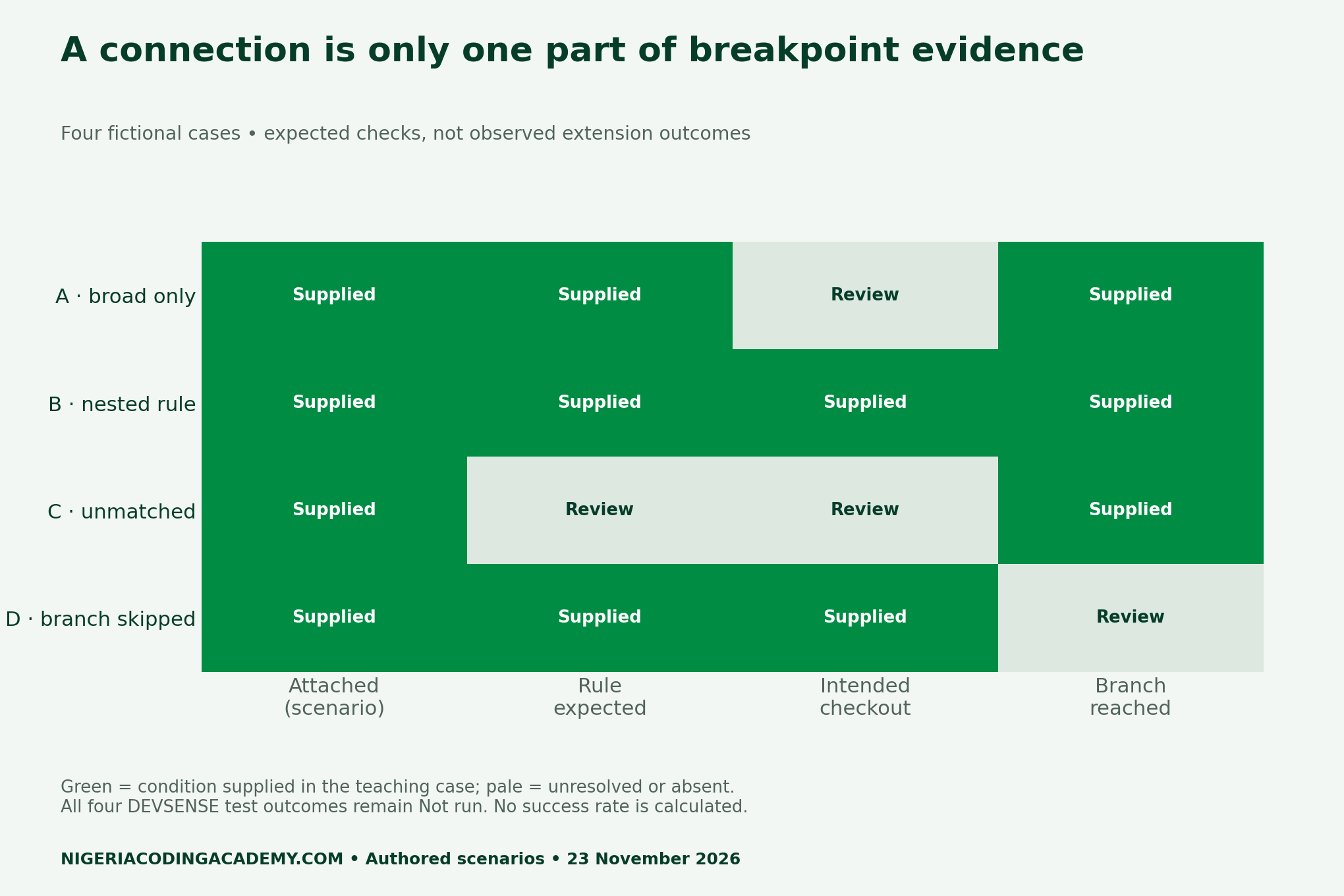
Case A supplies only the broad root. The mapping can produce a plausible path while opening a different checkout from the one you intend to inspect. A filename alone is weak evidence when two folders contain receipt.php. Record the complete path and a harmless marker unique to your fixture copy.
Case B supplies both roots. The narrower prefix is longer and should take precedence on the named release. Confirm the selected rule and the local file that actually opens. Keep the expected value in one column and the observed value in another, so a surprising result stays visible rather than being overwritten.
Case C supplies a rule for /different/site, which does not match the runtime example. The release notes describe a diagnostic for this condition. Capture the actual message if you run the exercise. Do not invent its wording, assume a warning was displayed or silently substitute an automatic mapping.
Case D has the intended mapping but a branch that the fictional request never reaches. The path can be correct while the breakpoint remains untouched. Review the route, condition and line execution after verifying the file. Changing a mapping cannot make an unvisited branch execute.
Use two independent evidence checks
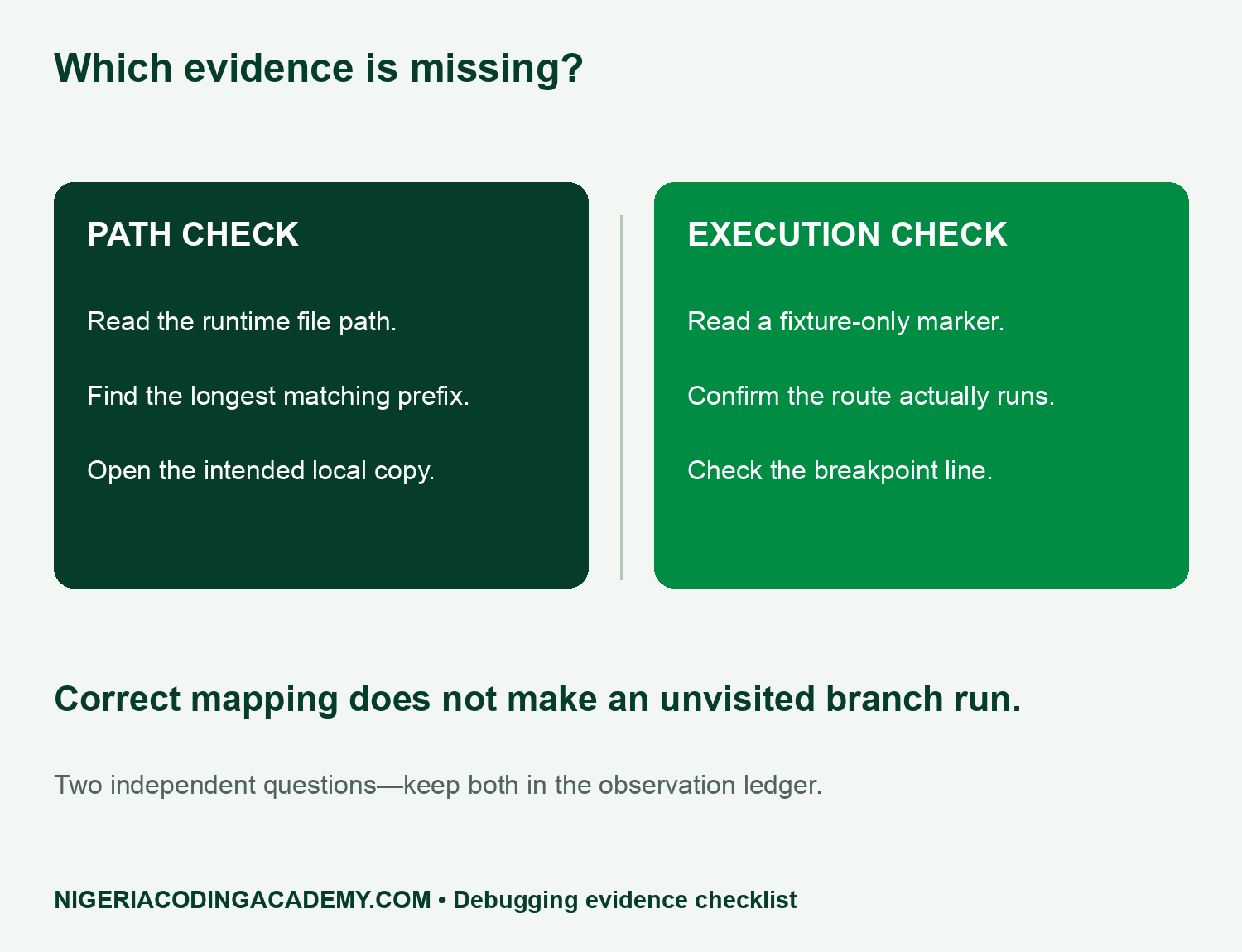
Start the path check by recording the runtime file path shown in your own controlled session. Compare it with the keys in the chosen launch profile. Then note the selected mapping and complete local path. If a fixture marker differs, stop and resolve which source copy you are viewing before diagnosing business logic.
Run the execution check separately. Identify the synthetic request and branch expected to reach the line. Record whether that branch actually runs. A missing observation should stay blank or Unverified. Do not convert “the debugger connected” into “the breakpoint worked,” or convert a quiet session into proof that the application has no bug.
For a WordPress exercise, use a disposable local teaching project rather than a live customer request. Keep fixture markers free of names, tokens and private data. The downloadable ledger needs paths and observations, not passwords. Redact real identifying paths if you later share your own results publicly.
Record versions and uncertainty before drawing a conclusion
Write down the extension version, PHP version and selected launch profile before testing. Keep other relevant settings stable while comparing Case A and Case B. Change only the mapping condition you intend to examine. If the observed path differs, preserve the evidence and revisit the assumptions instead of calling the expected path a measured result.
This worksheet does not measure extension reliability, time saved or developer productivity. Four authored cases are coverage prompts, not a sample of Nigerian developers. It also does not validate a remote-debugging security setup. Any live connection requires your team’s existing configuration and access controls; this exercise establishes no new access.
Unlock Your Unique Tech Path
Get expert tech consulting tailored just for you. Receive personalized advice and solutions within 1-3 business days.
Get StartedOur browser-session debugging guide covers another evidence boundary. The controlled upload worksheet separates ideal arithmetic from receiver confirmation. Reuse that habit here: keep a prediction distinct from the observation that could support it.
Method and four reusable CSV tools
Research checked 23 November 2026. We read the vendor changelog and launch-profile documentation, authored four fictional cases and derived the expected paths by replacing the matching server prefix. No DEVSENSE session was executed. The matrix counts no passes, and blank outcome columns intentionally preserve that limitation.
- Four fictional mapping cases and predictions (CSV)
- Blank debugger observation ledger (CSV)
- Editable fictional server-to-local mapping rules (CSV)
- Primary-source and claim register (CSV)
Suggested citation: Nigeria Coding Academy, “PHP Breakpoint Not Hitting? Check Which File Your Debugger Opened”, 23 November 2026. Credit DEVSENSE for the release behavior and documentation, and this report for the fictional case set and observation ledger.


