




Compose 1.13 test failure diagnostics give Android learners a clearer way to collect evidence when an assertion breaks. For Nigerian developers building small apps, a failed CI job is more useful when its error, visible screen and UI state stay together.
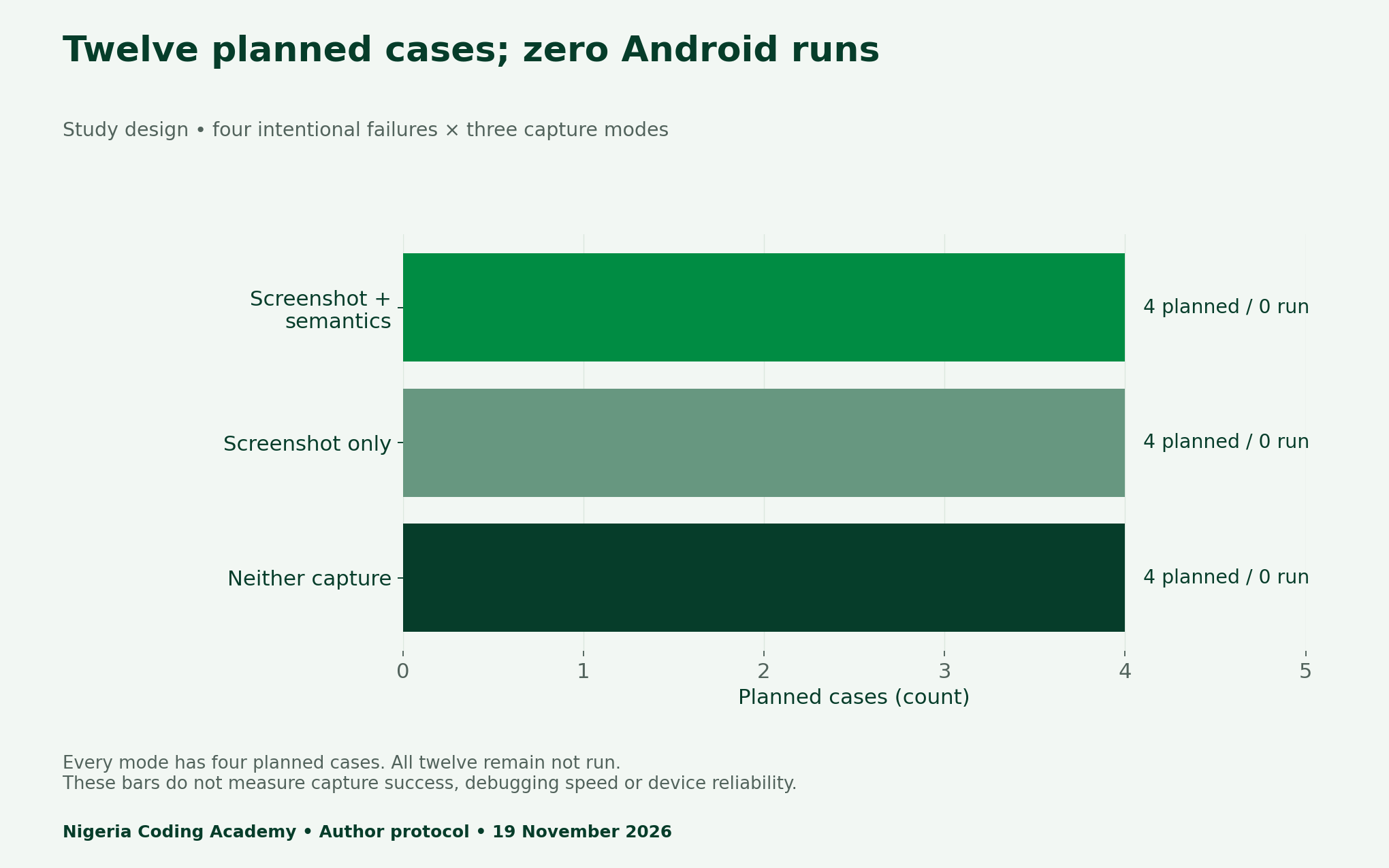
This report provides a twelve-case experiment plan, two charts, a comparison infographic and reusable records. All twelve Android cases remain unrun. Our installed SDK platforms stop at 36.1, below the release’s stated compile requirement. We publish the protocol and that preflight finding rather than invent device results or debugging-time savings.
What changed in Compose 1.13 test failure diagnostics?
Google’s 18 November release announcement identifies Compose 1.13 as stable, with BOM 2026.11.01, Kotlin 2.2 or newer and compileSdk 37.1. Its new failure-handling pipeline can capture a screenshot and semantics hierarchy when a test fails, then run custom handlers. Those capabilities create an opportunity for a controlled learning exercise.
First, check your project and toolchain before copying configuration. An emulator existing on a laptop does not establish that the project can build against this release. Record the actual BOM, Kotlin version, compile target and test dependencies. Keep an incompatible preflight separate from an assertion failure inside the app.
Design four failures before comparing three capture modes
Our fictional order form has four deliberately different problems: an omitted Submit control, a displayed total that differs from the assertion, a confirmation below the visible viewport and a disabled submission control. The screen must contain synthetic values only. No customer order, payment details or contact information belongs in this lab.
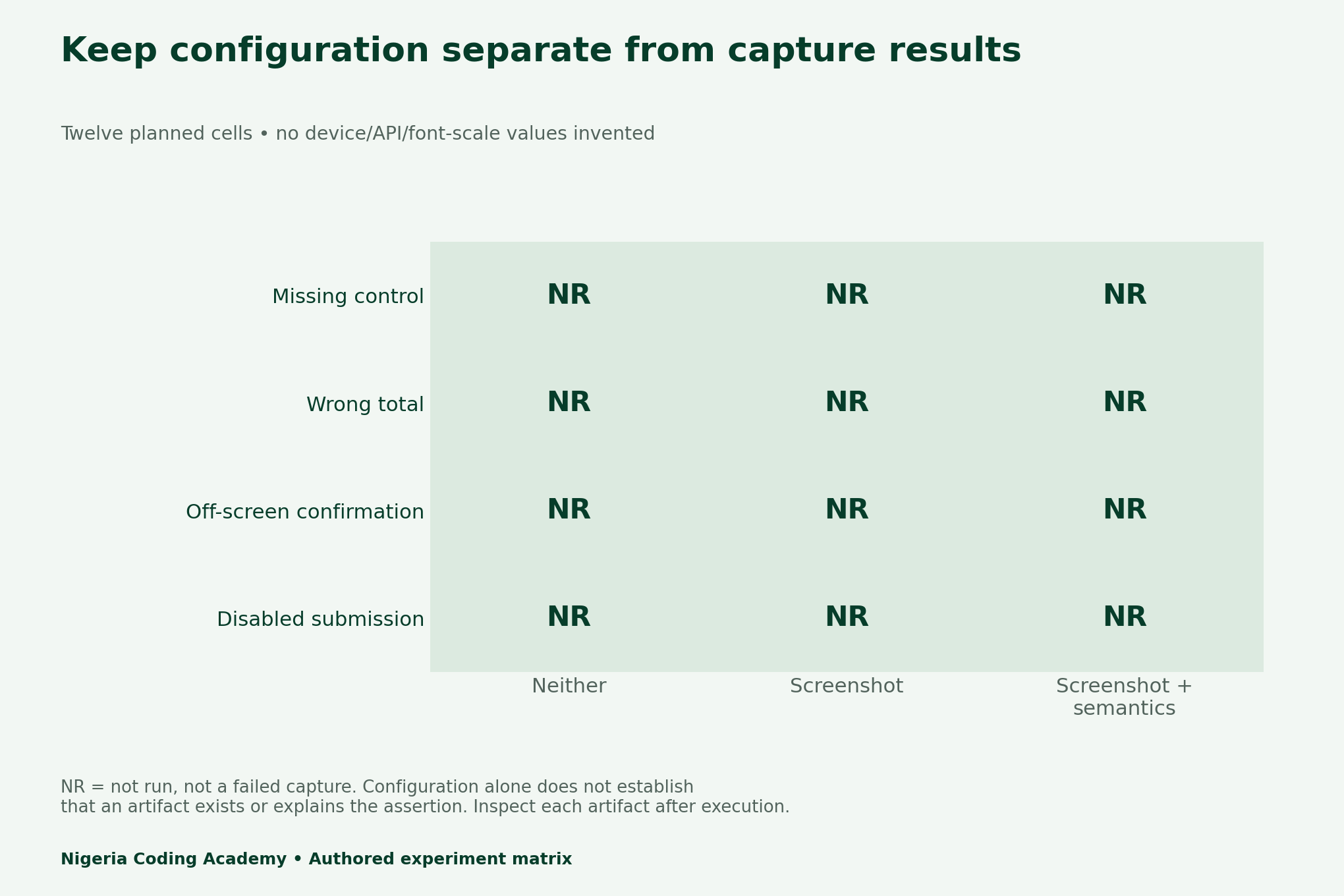
Next, repeat each failure under three explicit capture configurations. Disable both artifacts, enable only screenshots, then enable screenshots and semantics together. Four failures multiplied by three modes gives twelve planned cases. This count describes the design; it is not a sample of completed Android runs.
| Intentional failure | Designed assertion | Question to inspect |
|---|---|---|
| Missing control | Expected Submit tag is absent | Is a tag missing from the hierarchy? |
| Wrong total | Expect NGN 2,500; display NGN 2,400 | Does the visual total match textual evidence? |
| Off-screen confirmation | Assert displayed before scrolling | Does the viewport explain visibility? |
| Disabled submission | Assert enabled on a disabled control | Does the node state explain failure? |
Make capture settings explicit
The TestFailurePolicy reference distinguishes Enabled, Disabled and Unspecified capture modes. Unspecified inherits suite-level runner configuration; an explicit setting overrides it for that test. Therefore, use explicit settings for this comparison, and record runner arguments as well. Otherwise, a supposedly capture-free baseline might inherit an enabled suite setting.
The same reference says custom handlers run after artifact generation. That sequencing helps you design a collector that receives the failure and generated evidence. However, configuration does not prove a file was produced or uploaded. Check paths, file existence and content after each actual failure, and preserve the root assertion if reporting encounters another error.
TestFailurePolicy(
  screenshotCaptureMode = TestFailurePolicy.CaptureMode.Enabled,
  uiHierarchyCaptureMode = TestFailurePolicy.CaptureMode.Enabled
)
The ZIP contains a Kotlin configuration fragment, not a complete Android project. It has not been compiled here. Check the current API, imports, opt-ins and compatible dependencies in your own disposable test project. Keep that setup check distinct from the twelve planned assertion cases.
Screenshots and semantics answer different questions
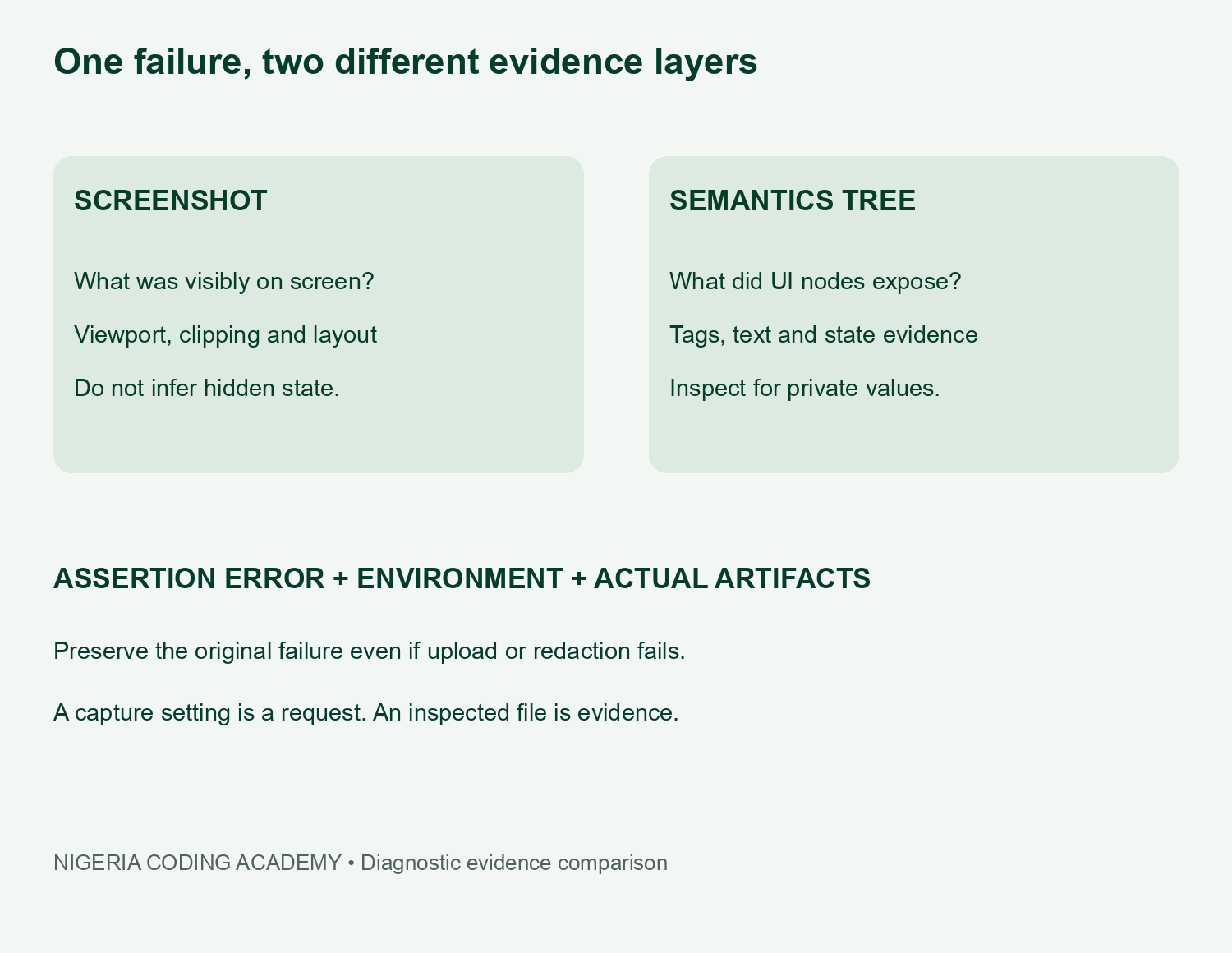
A screenshot may reveal clipping, placement or an unexpected visible total. In contrast, a semantics dump may expose tags or state that the picture cannot establish. Neither automatically proves the cause. Compare the specific failed assertion against the actual files, then write the smallest explanation those files support.
For example, an off-screen confirmation requires a visibility check and the captured viewport. A text dump listing the confirmation does not show that a user could see it. Similarly, a drawn button does not establish that its semantic enabled state matches the assertion. These are inspection questions, not claimed outcomes from this unrun protocol.
Record real metadata and artifact sizes
Freeze the app commit, exact device or emulator, API level, display dimensions, density, locale and font scale for all three modes. Then record the assertion error and each generated file’s byte size. Keep a missing file distinct from a file with zero bytes. Save both raw and redacted paths when your access policy allows it.
This report has no measured screenshot sizes, hierarchy sizes or time-to-debug results. Our downloadable ledger intentionally leaves those fields blank. In particular, do not treat an unrun case as a successful no-capture baseline. A fair comparison needs completed cases and explicit treatment of missing evidence.
Keep diagnostic evidence private until reviewed
UI dumps can reveal strings beyond the visible screenshot. Consequently, synthetic inputs are safer for a public teaching kit. Review both evidence types before sharing them, restrict access to raw artifacts and set a retention rule. A custom upload handler should not send an unrestricted dump to a public issue or storage bucket.
For Nigerian study groups, the protocol supports a practical peer exercise: one learner causes a known failure and another explains it from a redacted evidence packet. Record whether the packet answers the intended question. Do not convert that informal exercise into a claim about Nigerian teams’ average debugging speed.
Unlock Your Unique Tech Path
Get expert tech consulting tailored just for you. Receive personalized advice and solutions within 1-3 business days.
Get StartedDownload the Compose 1.13 test failure diagnostics plan
- Twelve-case diagnostics execution plan (CSV)
- Capture-mode configuration and planned counts (CSV)
- Four synthetic assertion designs (CSV)
- Blank device and artifact ledger (CSV)
- Configuration fragment and protocol kit (ZIP)
Finally, keep planned configuration, actual execution and interpretation in separate columns. Our event-versus-current-state lab uses the same evidence discipline. For broader project practice, see testing and observability in automation systems. Update the matrix only after inspecting the real Android artifacts.


