




Copilot secret scanning scope matters before you interpret a clean review. A check of submitted changes is not a search of every file, every earlier commit and every local draft. Nigerian coding learners can practise that boundary with harmless placeholders instead of exposing real credentials.
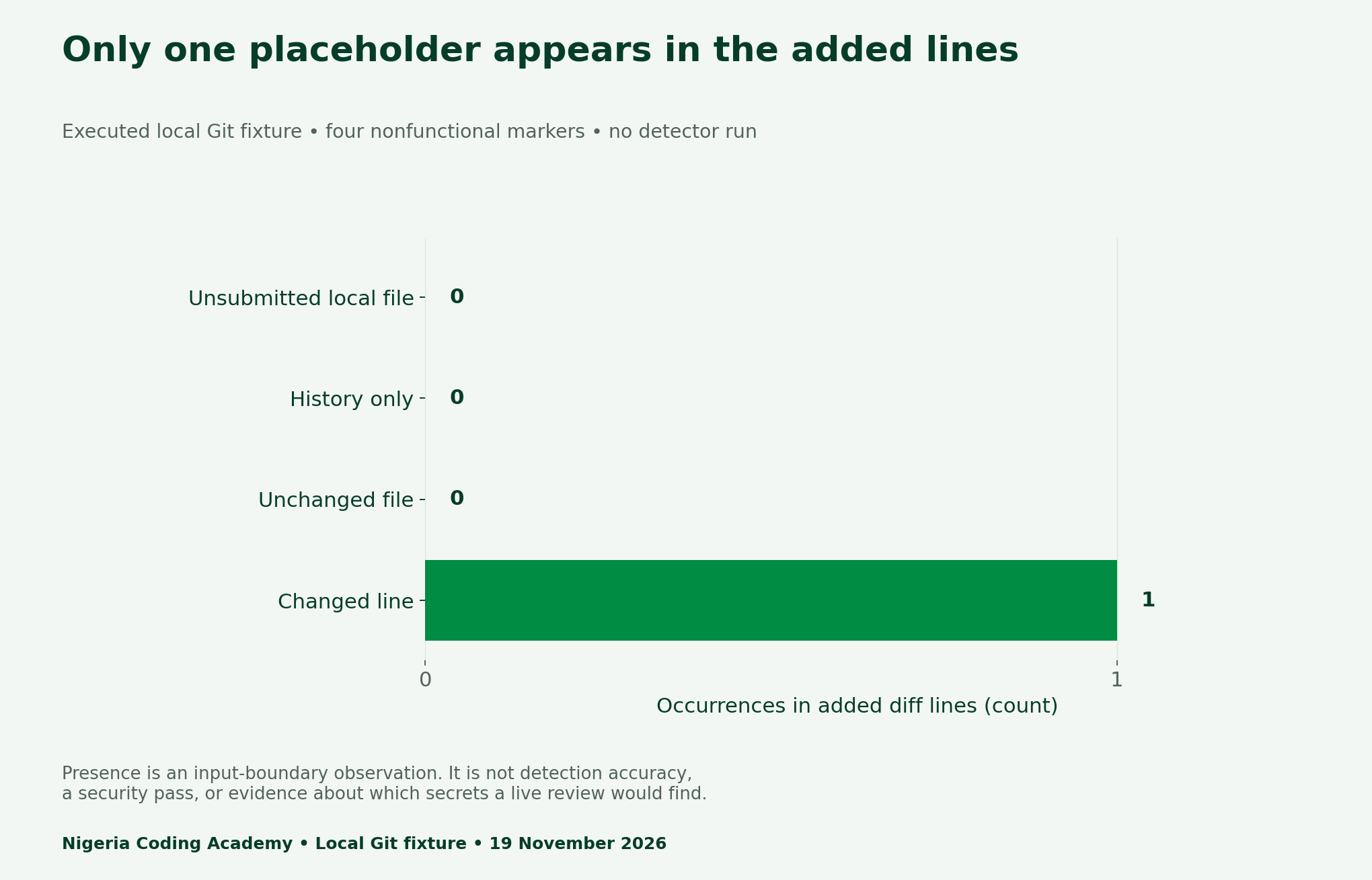
We built a temporary local Git repository with four deliberately nonfunctional markers. Only the changed-line marker appeared in the added lines of its base-to-tip diff. That is an observed input-boundary result. We did not run Copilot, submit a pull request, enable a paid feature or measure any detector’s accuracy.
What changed in Copilot secret scanning scope?
GitHub’s 17 November public-preview announcement adds opt-in secret detectors to Copilot security review. It reports more than 500 secret types and 150-plus industry partners. The feature starts off, checks changes rather than repository history and consumes AI credits. Existing LLM-based detection remains when the new detectors are off.
The announcement distinguishes on-demand review surfaces from pull-request code review, which can flag added lines. Accordingly, our eight-cell matrix uses one clear boundary: a submitted pull-request diff. It does not claim that an uncommitted file is always outside a local CLI review. Inspect the actual inputs of each workflow before transferring this example.
Create four safe placements, not four real secrets
First, our Python runner creates a disposable local repository. It commits an unchanged marker and a historical marker, removes the latter before choosing the review base, then adds a changed-line marker in a new commit. Finally, it creates an untracked local file after that proposed tip. There is no remote repository.
Each marker starts with NOT_A_CREDENTIAL and names its placement. None can authenticate to any service. Therefore, this fixture is suitable for teaching the movement of text through Git, not secret detection. A recognisable-looking sample token would add risk without establishing a detector’s precision or recall.
Read the eight-cell scope matrix carefully
Next, cross four placements with the opt-in setting off and on. The same local diff exists in both columns. Turning a detector on does not move historical text or a local unsubmitted file into that submitted diff. The candidate cell says only that added text is within the stated review input.
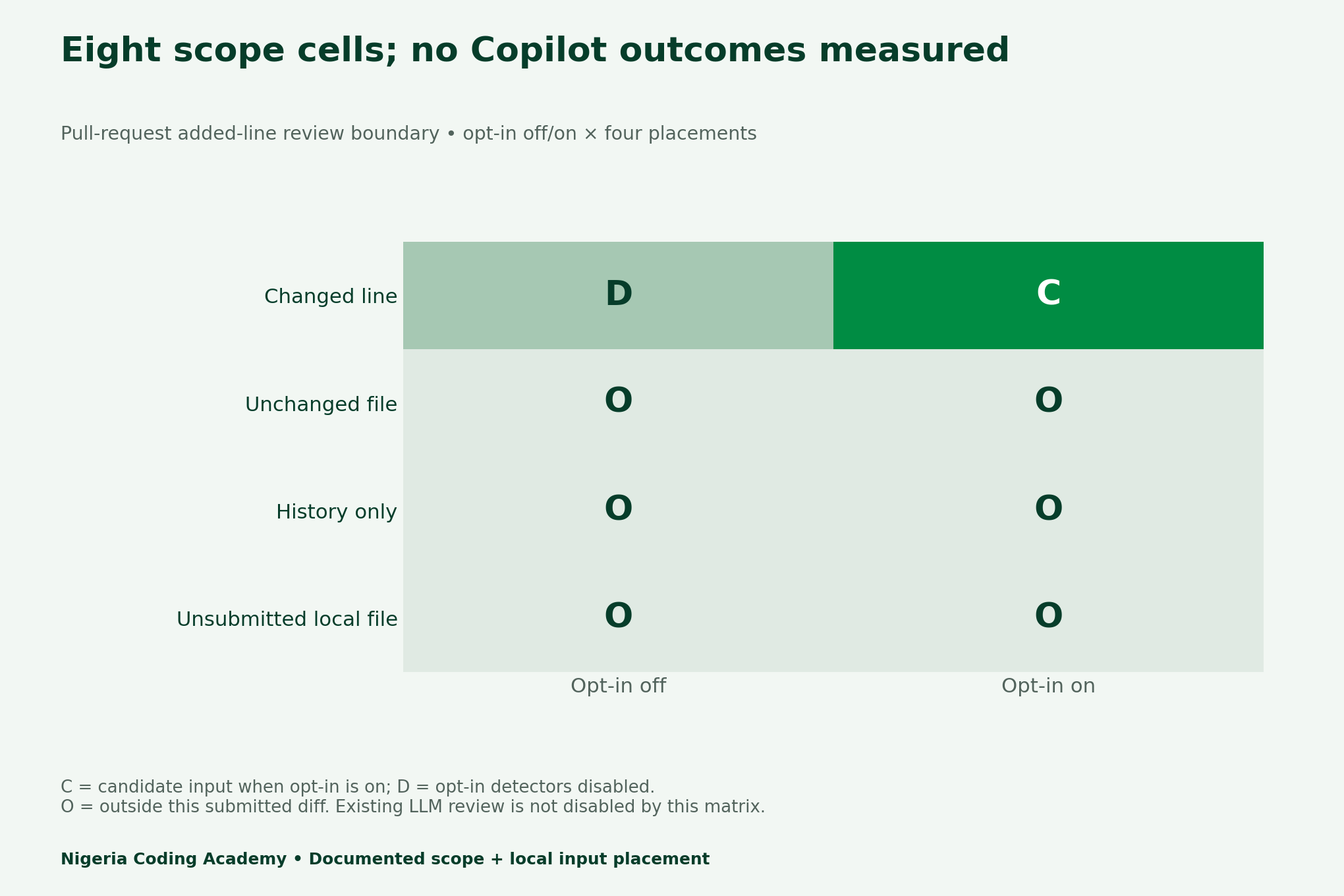
For example, a placeholder absent from this added-line input cannot help evaluate how that detector would classify it. Meanwhile, an eligible placeholder does not guarantee a finding. Keep input eligibility, an actual executed review and the interpretation of its output in separate columns. The CSV preserves those distinctions.
| Placement | Added-line occurrences | What we observed |
|---|---|---|
| Changed line | 1 | Marker present in local review diff |
| Unchanged file | 0 | File exists but its marker is not newly added |
| History only | 0 | Earlier commit contains marker; current diff does not |
| Unsubmitted local file | 0 | Local untracked file exists outside committed tip |
A diff is one evidence boundary
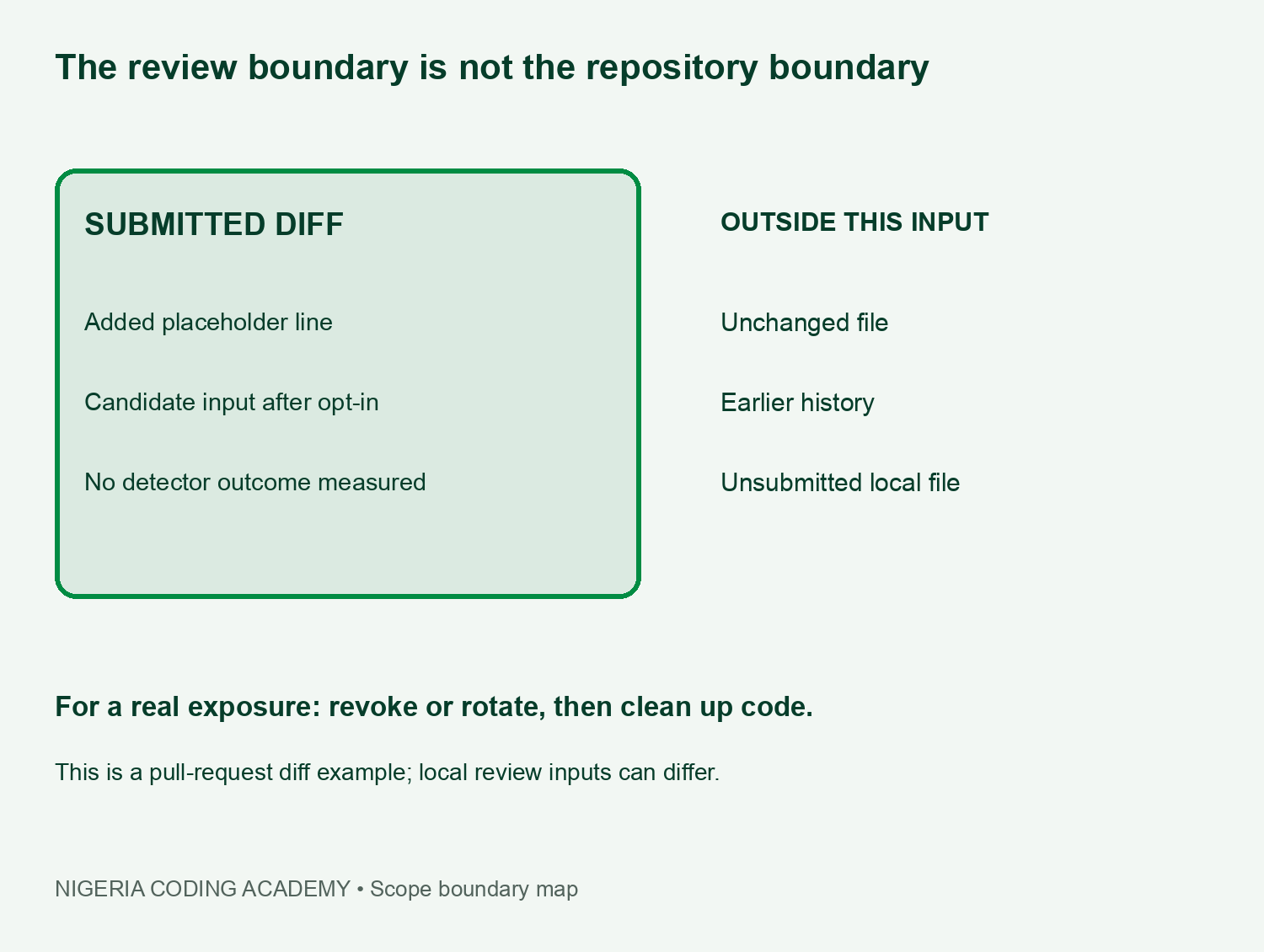
GitHub’s broader repository secret-scanning documentation describes a separate capability that examines repository history. Do not transfer that broader scope to this preview change-review experiment. Similar product names do not make the inputs or findings interchangeable.
For a portfolio project, record the review surface, exact base and head commits, opt-in state and supplied inputs. Also record whether a review actually ran and where its evidence lives. A screenshot of a setting alone cannot prove that the intended changes received a completed scan.
Why detector counts are not accuracy statistics
The vendor’s supported-type and partner totals describe its catalog and collaboration. They are not a percentage of all leaked credentials found, and they do not tell us a false-positive rate. Our four harmless markers cannot supply those statistics either. A credible accuracy study needs a defined, permitted corpus and labelled outcomes.
Consequently, avoid headlines that turn a clean result into a clean-repository certificate. Non-findings can reflect scope, configuration, unsupported patterns, a scan that never ran or other causes. This report does not estimate the relative frequency of those causes or evaluate real secret detection.
Respond to exposure separately from code cleanup
If a real credential escapes, follow the provider’s revocation or rotation procedure promptly. GitHub’s sensitive-data removal guide places revocation or rotation before history cleanup. Removing a line cannot by itself invalidate a copied token. Keep those actions distinct in your response record.
Then review the affected code, configuration and history with the appropriate repository owner. Plan any history rewrite carefully because it can disrupt collaborators and references. Never paste a live secret into a public issue, caption, demonstration or detection test. Our downloadable ledger asks for evidence references rather than credential values.
Download the Copilot secret scanning scope kit
- Four observed local diff placements (CSV)
- Eight-cell pull-request scope matrix (CSV)
- Claim, basis and limitation register (CSV)
- Blank scope and exposure-response ledger (CSV)
- Local Git fixture, diff and reproducibility kit (ZIP)
Run the Python harness only after reading its README. It uses the installed Git command, creates a temporary repository and makes no network calls. Its four assertions test exact marker placement; they do not certify your own repository. Finally, compare this evidence habit with our notification-versus-current-state exercise and repository monitoring-state audit.
Unlock Your Unique Tech Path
Get expert tech consulting tailored just for you. Receive personalized advice and solutions within 1-3 business days.
Get Started


