







A WordPress 7.2 RC3 staging checklist should help you make a release decision from evidence. It should not turn an available download into permission to upgrade a live client site. For Nigerian freelancers and learners, a small repeatable comparison is more useful than a screenshot saying the dashboard opened.
Our worksheet plans three editor actions in two separate environments: a supported stable baseline and a disposable release-candidate clone. That makes six planned runs. Every outcome is blank and marked unrun. We have not tested WordPress RC3 or upgraded a production website for this report.
WordPress 7.2 RC3 staging checklist: what changed?
The official 24 November RC3 announcement says this software remains under development and recommends a test site rather than a production or mission-critical installation. It highlights refinements involving media processing, navigation item counts, HTML and revision metadata. Those areas inform our proposed checks; they do not prove compatibility with your theme or plugins.
The announcement schedules the final release for 8 December 2026. On this report’s research date, that is a future plan, not confirmation that a stable 7.2 release has shipped. Recheck the current release before any later deployment decision. This guide does not change the software on your website.
Build a comparison you can repeat
Start with two disposable environments that use the same synthetic content and relevant configuration. Record the exact WordPress, PHP, theme and plugin versions. Then describe what differs. If you change the theme and three plugins at the same time as core, a failure becomes much harder to attribute.
Use a made-up page, a harmless sample image and a short test navigation. Keep customer records, payment connections, production email credentials and private media out of the fixture. A staging address alone does not prove isolation. Check where outgoing forms, messages and integrations would go before you exercise them.
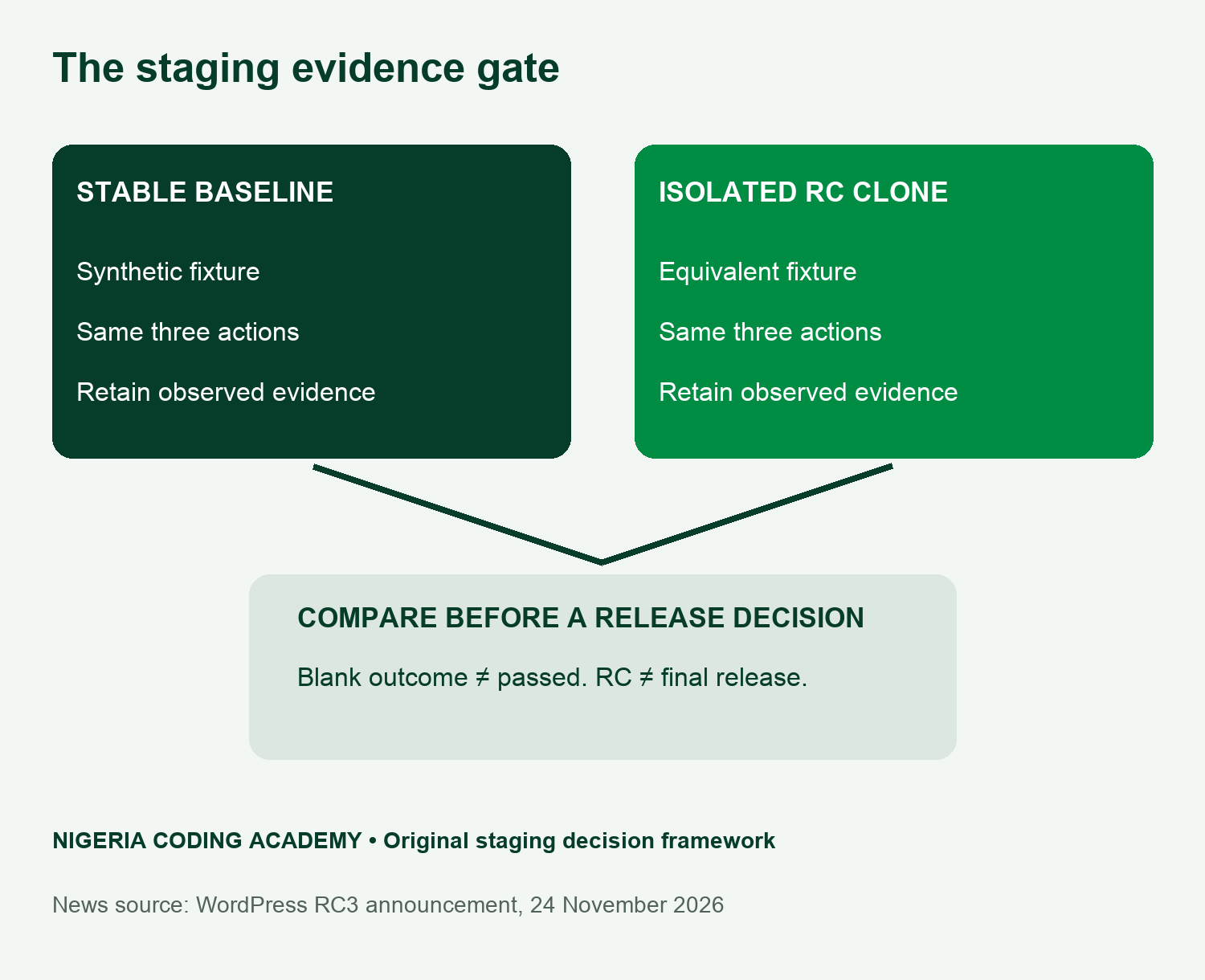
Three actions across two environments
| Action family | Proposed check | Evidence to retain |
|---|---|---|
| Upload a synthetic image | Retain original name; inspect attachment and front-end output | Version, steps, saved output and observed result |
| Revise and save a synthetic page | Reopen saved page; compare intended content and revision evidence | Version, steps, saved output and observed result |
| Move a synthetic navigation item | Check order and count in editor and front end | Version, steps, saved output and observed result |
For media, upload a synthetic image with a recognizable filename. Record the attachment details, rendered dimensions and the front-end result. If your workflow transforms the image, inspect the resulting file and name too. A thumbnail appearing in the media library is only one part of the evidence.
For revisions, change a short paragraph in the synthetic page and save it. Reopen the page and inspect the intended content. Retain the relevant revision evidence, including what version of the content you compared. Do not assume an autosave indicator proves that the published or previewed page contains your final edit.
For navigation, move one item and record the intended order. Inspect the editor and the resulting front-end menu, including the count if your workflow displays one. Keep the starting state and the changed state. This helps distinguish a stale display from a change that was never saved.
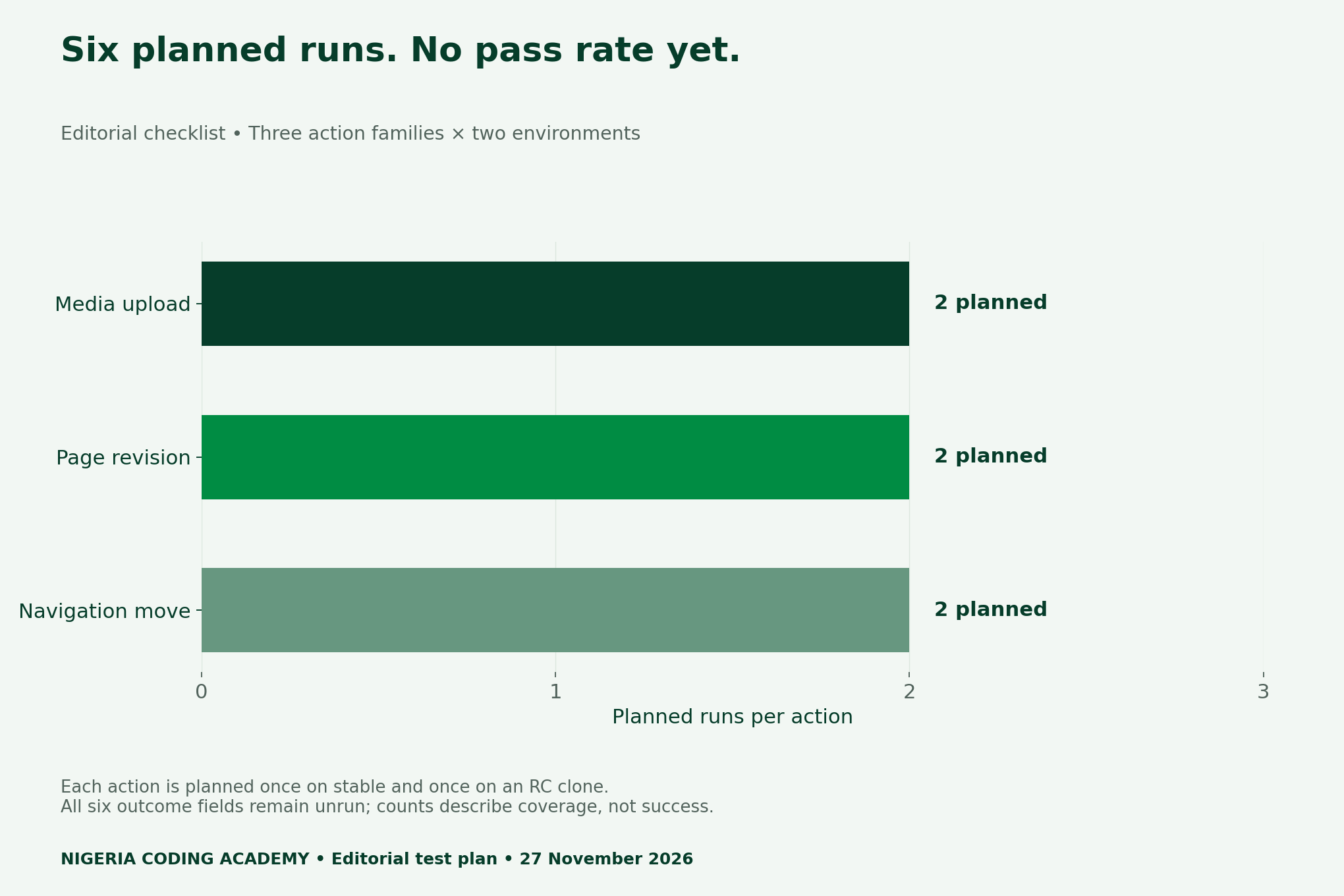
Record observations before deciding pass or fail
Write the expected behavior before running an action. Afterward, enter what you actually observed and link the evidence. Leave the result unrun if the action did not happen. Use a separate blocked state if a missing dependency prevented the test. Neither state belongs in a pass count.
A useful failure note gives the exact action, starting state, environment and visible result. For example, describe which navigation item moved and which order appeared afterward. Avoid a vague “menu broken” note. At the same time, remove private URLs and personal information from anything you intend to share publicly.
If a result differs between stable and RC, repeat the same steps with the same fixture before drawing a conclusion. Keep both observations rather than replacing the first one. A reproducible difference deserves investigation; a single confusing screenshot is not enough to identify its cause.
Keep recovery separate from feature testing
The six-run card is deliberately narrow. It does not cover every plugin, device, permission, integration or recovery path. Add checks that reflect the client’s actual site once you have an authorized, isolated environment. Keep the added rows distinct so another developer can see which scope was tested.
Also retain recovery evidence for the release process you intend to use. A backup file existing is different from a successful restore. Name the person who owns the release decision and list unresolved issues. Passing these three action families alone cannot establish that a production upgrade is safe.
Download the staging worksheets
- Six-run staging test card with blank outcomes (CSV)
- Planned action coverage and unrun counts (CSV)
- Blank environment and recovery register (CSV)
- Release-decision evidence checklist (CSV)
For more project guidance, see our web development guides and Research & Reports. Use the environment register with your own authorized test configuration.
Unlock Your Unique Tech Path
Get expert tech consulting tailored just for you. Receive personalized advice and solutions within 1-3 business days.
Get StartedMethod and limits
Researched on 27 November 2026. We checked the official RC3 announcement, created the original six-row test plan and verified the arithmetic: three action families multiplied by two environments equals six planned runs. No RC installation, client-site test, compatibility benchmark or production deployment was performed. The chart is a plan, not a success statistic.
Suggested citation: Nigeria Coding Academy, “WordPress 7.2 RC3: What to Test Before Upgrading a Client Site”, 27 November 2026. Preserve the unrun and release-candidate qualifications when reusing the worksheet or chart.


